
From developer’s viewpoint, the most interesting and complex part of game is usually the very game mechanics (core). And those parts for which player returns to the game (meta). But here, in augmented reality (AR) multiplayer before you get your friends and yourself into shooting those monsters, there are a lot of interesting problems to solve. I’ll be telling about them here.
At first, player is pressing ‘play coop’ instead of just ‘play’ button. Therefore game knows that it needs to get syncronized with at least one other player. You dont have to search your frinend in long lists in UI, dont need to invite them or detect their devices with bluetooth. There is just a button ‘play coop’ there. But then how game does understand whom to play with?

First what happens inside the game, its loading all the data about upcoming fight into memory. By the way nor you neither your friend knows what to load. The one inviting to battle (host) knows which monsters are awaited and which weapon host player carries. But he does not know what his invited friends got.
Invited player (client) knows nothing about where will he go. One thing that he knows, that he will bring his favourite arbalet there.
Always when you enable augmented reality is should be initialized. So its reasonable to make loading parallel to AR init process. As a result – there is no need for loading screens, player even dont admit that there is any loading.

AR initialization was made a part of the game story. As you travel into paralell worlds for each battle, you need to scan magic seals around you to do this. And this was not entirely game-design solution, its technically nessesary. During this process AR libraries collect enough data to start working properly. In other AR games you just have to wait few seconds, just as ARKit and ARCore API’s docs tell you. We tried this way too. But if player will be turning around and moving a lot (and in our game he certainly will), then positioning will be flawed for some time. So you turn around before fight to calibrate positioning.
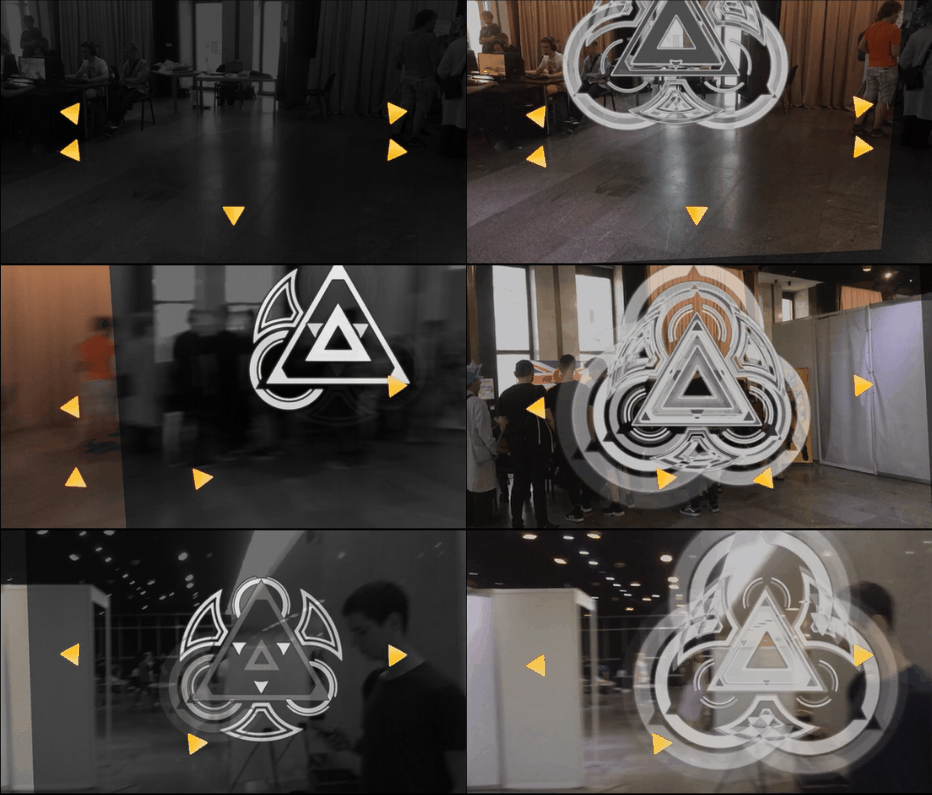
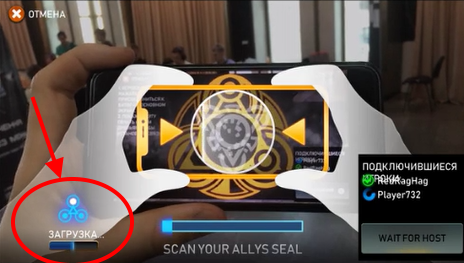
Now syncronizing. It looks like a seal scaning. This is the main part this all. First player has a special symbol shown on his screen – a seal. He shows it to another player, who scans it with his camera. Okay, done – now battle can begin.

So how does it work and why so?
First gamedesigners intension sounded like: “Make me something without a mess of menus and searching friends in lists for search. Let one say – hey, play with me – and shows his phone. Another player says – ok – and just brings his phone close “.
So we require that first player’s screen show something that lets another player to find the first one on game server, understand what’s his position in space and how they are located relatively to each other with high precision.
How is it done?
There is a binary code in the concentric circles at the center of that yellow seal (as on the pic above). The very yellow picture of the seal is almost purely decorative and serves the story of the game. So that binary code has just enough information to give information about player id on server and device screen size. Every bit is located on specific ring and at specific angle. So we’ve got dashed rings.
Something similar exists in Facebook Messenger, you can add friends in similar way. Also I’ve concluded that its good to encrypt that information with Reed-Solomon error-correction algorithm to enchance stability and even avoid problems when some parts of code are not wisible because of glares on screen – it happens when you play outside.
Let’s continue.
So I said that yellow seal picture was almost decorative. Almost – because in fact it is responsible for locationg device positions. Another phone recognises it as a two-dimensional picture in camera space. So it gives knowledge about how devices are located relative to each other.
And thats not all. We also need to find distance between devices. How to do this? Seal on the first player’s screen happen to have some pixel size in the image of second player’s camera. And thankful to circle code, second player knows screen and seal size of the first player, measured in meters. So we can calculate their distance in actual space.
Unifying knowledge about relative distance and rotation, game gains full relative position matrix. It happens to be precise enough, plus-minus few centimeters. Angular precision – few degrees. So game can be played inside few or few tenth of meters.
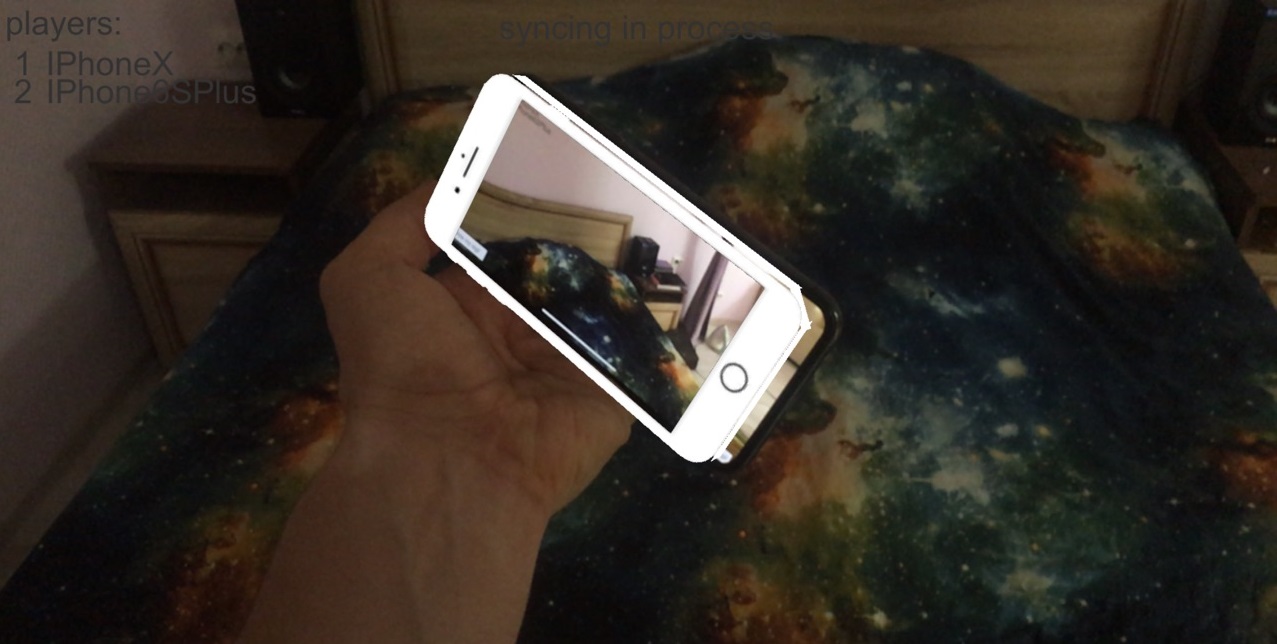
Biggest error, as we observed, appear (to be precise it appear and disappears and so on) after few minutes of active gameplay – the very AR orients in space worse and better again. It depends of where do you play – whether there are good featurepoints in the view. Featurepoints are some basic points – edges, corners, borders of color etc which AR uses for orienting.
In general, game with intense movement and turns is relatively hard for modern AR. Its a fact but not a reason to give up or deny AR gaming at all.
For stability, scanning seal happens few times. And only if their results are the same – its a time to start the game. The reason is that AR works unstable itself, but synchronisation moment is critical, all should work ideally.
First, we tried to use disanostic tools built in AR libraries. They sometimes confess that they have not enough featurepoints, or movement is too fast, or there is not enough light – and therefore position is not precise enough. But AR frequently worked bad while it thought that it works ok. Player ‘moved’ in some direction and than ‘jumped’ back and than ‘moved’ again. While in reality, player was simply standing still. It looks like AR registered movement with accelerometer, which is not very precise in phones, and than corrected it using featurepoints. It made player ‘jump’ back. So I wrote another layer of AR diagnotic over it.
Ok, we now understand how it works now, but why do this in the first place? Couldn’t we just take existing synchronization from ARKit? There are few reasons.
- First, it does not allow to exchange additional info, as we did with a seal code.
- Second, we need to send a big file with featurepoints on another device. I made some experiments – its needed to send 0.5-2 mb over network. It’s just not convenient.
- Third, we should have p2p connection between devices. So we need to implement some bluetooth discovery, or ‘nearby devices’, or something to connect. And it should be crossplatform. Algorithm with seals just gives us connection between devices for free.
- Fourth, its not reliable. One synchronization even after sending file over network takes from few seconds to infinity – it sometimes just fails. And our solution makes sync in milliseconds, so we can do a number of them during a 2-3 seconds – for increasing stability.
- At last, there just was no standard solution at the time of writing the game. Then ARKit rolled out its algorithm, and then Google Cloud Anchors came, but its all was later.
So most common failed synchronizations in ARKit solution exist when there is some distance between devices. So its good to ensure players brought phones close to each other. But best way to do this is to ask one of them to watch another through a camera.
So, connection is established, positions synced. Whats next?
Now player that joined the game knows that battle there will be. Knows which monsters, which players are there. Its time to load everything into memory. In fact, this loading is started even before synchronization ended. Its parallel process – just dont draw player’s attention and finish whole process asap.
Next, we need to start fight. But we have to start it at the same time. For that, server sends clients packets with server timestamps. Clients compare it with own time, make correction to network lag. Lag was estimated earlier. Next, sends everybody time of starting battle – current time +5 seconds. Clients show countdown, and then battle starts.

Most important, what our fight needs from AR – its knowing where is a floor. We could ask player scan something on the below him each time, while AR finds featurepoints there, than planes, then unifies planes to get floor. But what if grass is there? Or some other roughnesses. Also, its all seem like unnessesary step for player.
Therefore, we made special algorithm for defining where the floor is. Basically we take every frame’s featurepoints and find a cluster of them with similar height and that are below player considerably. We use that similar height as a floor.
We do this every frame, adding information for all time from the start of the game. Its not so precise if taken from one frame, but more frames makes it very stable. Good idea to add this information to for few last frames or seconds ,but for all the time. Its was a good recomendation from Microsoft developers that were doing gestures recognition for Kinect: add up every bit of information you have, and clean up history only when result on few last seconds is considerably different than result on whole data.

Other problem was intersection with enemies in battle. We cant avoid this in AR, unlike all other games. You can not allow player to go somewhere, and forbid other directions. So we removed all gameplay walls, covers and shelters in the game. We cant even forbid player to watch the game from some point of view. Because of this we hardly resisted to make tutorial guide a nice girl in a skirt.

But back to monsters. What will happen if player walks ‘into’ monster? In most games its considered as bug and player sees partly backface culled model, which is not nice at all. But in our game we should consider this situations normal and percieved normally. So we made a special shader, that renders ‘guts’ of monster and makes player not seeing this as a bug. And then we added some gameplay features that made player dont want to get close to monsters. So monsters usually dodge player or on the contrary perform some overpowered melee attack.
So this is the story about AR in multiplayer game. And what I conclude, is that serious games are possible to be created in AR. They are even playable. Even with friends. Its interesting and for casual players – to tap into screen and just shoot monsters and for hardcore players – to counter special enemies with specially crafted weapon. We did some playtests – playing RiftersAR is fun for broad auditory – children run and scream, even girls never played shooters somehow understand how to make critical hit and that you need to hide from monster’s lasers.
So speakig of now, AR is now a not occupied niche, not a raw technology. Its ready for game development.
 Блог Антона Пендюра