Huge part of game development process can be automated. Can and should be automated. Its hard to argue about this. Nevertheless, because of different reasons most of the industry does more tasks ‘by hand’ then nessesary. Reasons are wide – from not wanting to invest in own production process to trivial not awareness about this.
So when I came to Omnigames to make RiftersAR and understood that wit these people I can do things right, moreover to learn about how to do things right, I’ve got excited. This is how the story starts.
ARBase
First, as the game name (RiftersAR) suggests, its an augmented reality game. What routine-generating problems it gives us?
Implementing different AR libraries and updating them often. They often had updates that we need to get our hands on. Same build on different platforms should use different libs – ARCore or ARKit, also we experimented with 8thWall. We wanted some facade over AR.
Also it was very frustrating not to be able to do reasonably well testing without building on device. Each time we had to build. Ideally we wanted to play AR game in Unity editor or standalone builds.
So the decision was to make an ARBase – just put its prefab in the scene and select AR source – ARKit, ARCore, ARKitRemote, Simulation.
‘Simulation’ option means that AR library data is fully generated – there is a camera that renders ‘reality’ to the camera texture. It also simulates surfaces and feature points ‘recognised’ by camera. Movement and rotation in ‘reality’ was generated from standard PC-gaming input – mouse movement and WASD controls.
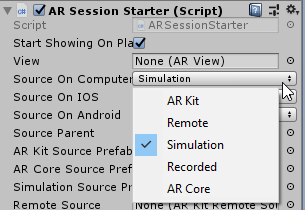

Game is in simulated environment, but doesnt know this
So, having this library done, we could forget about AR and concentrate on the very game.
MobsForge
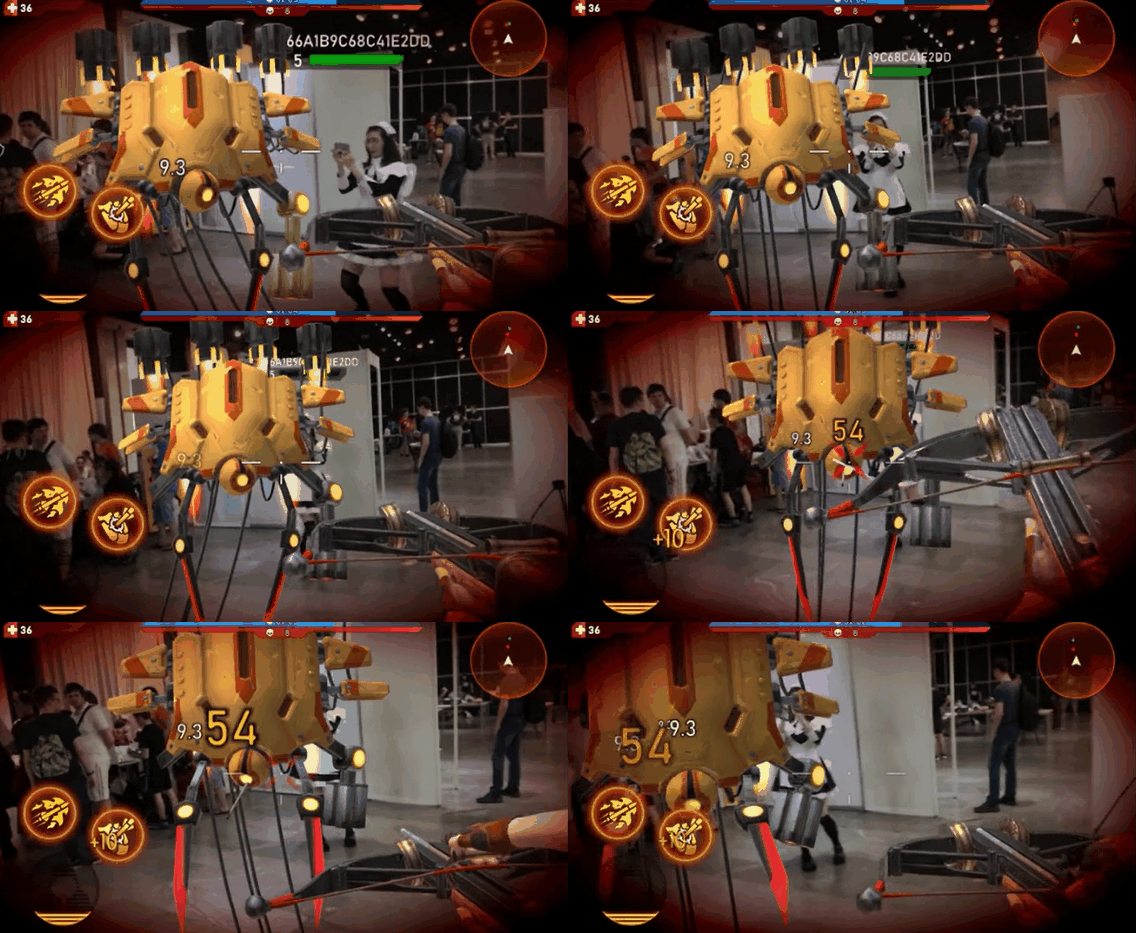
As a shooter game implies, there should be lots of enemies to shoot. In RiftersAR they were mobs from parallel reality. From different worlds actually. Behaving differently, having lots of mechanics shared only with others in its race or unique to the very mob. The whole sense of this game was to make game session interesting and partly even puzzling – player should understand how to defeat this type of mob or their combination.
So few first mobs were crafted taking roughly two weeks to complete. Tasks were different, lots of programming involved. It was not only about creating resources and setting prefabs – however this needed some automation too.
The most exciting thing was to make whole two weeks tasks done by just one click. After that programmer still had spend few days – but only coding the interesting part – what this mob have unique.
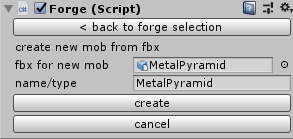
So what did it do?
First, it parsed animations given by our animator, created convinient enums with them for each monster. While doing so, it also made some validations on animations – it helped if animator forgot to include something required or simply misnamed them.
Then, it took our template mob prefab and created prefab for the new mob – setting 3d model, animations, colliders, healthbars, rotations, effects etc. Also we had a nice editor where all this still can be customized – tweak colliders, change animations. Also it was important that we could split mob in parts – if it could be destroyed part by part, or if parts could act separately – like hand or claw that has its own animation behaviour.
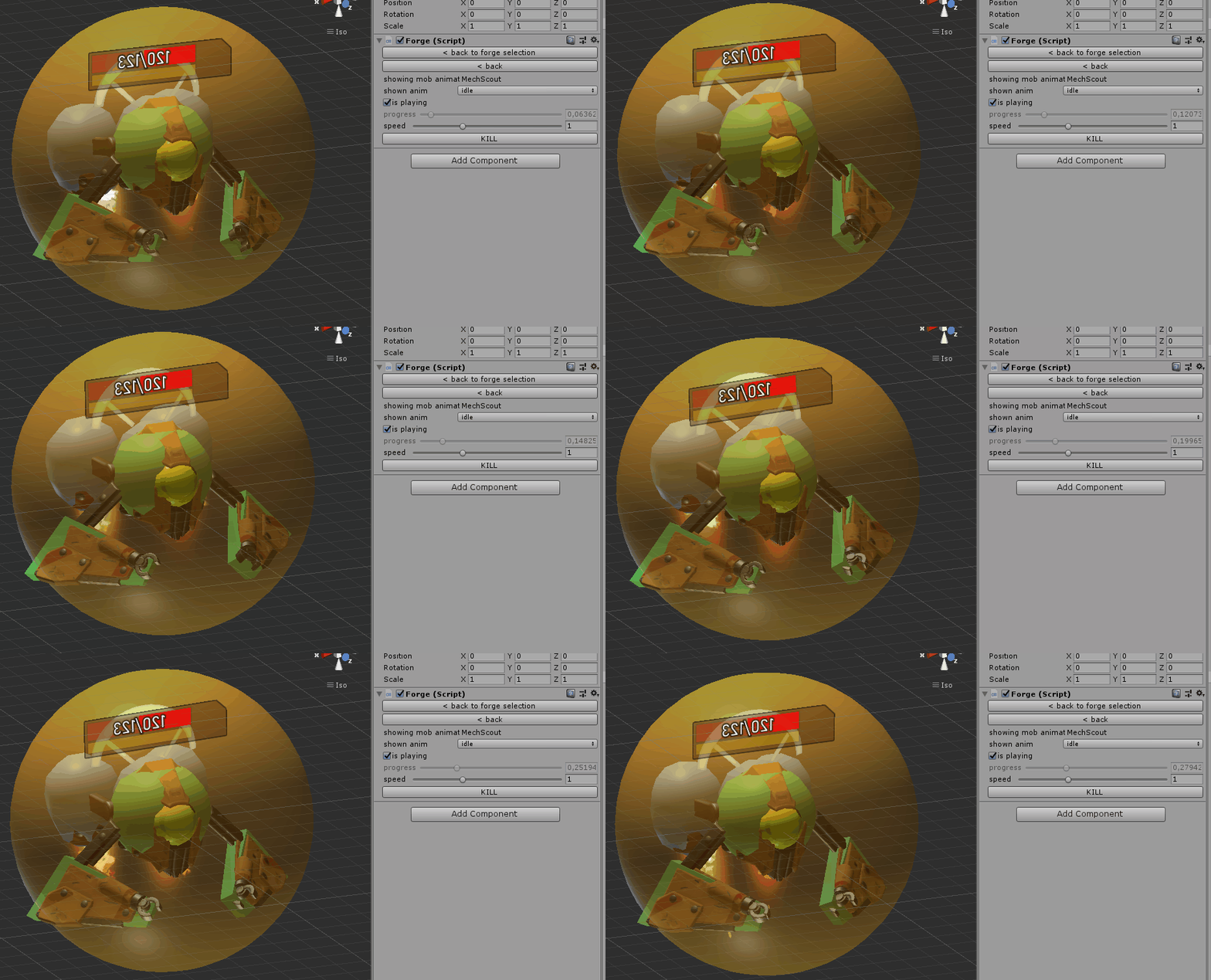
Then, code for mob model got generated – along with its hugely custom serialization. We had special needs on serialization – because game is multiplayer and data replication was important to be customizable and efficient.
After that, mob config was codegenerated. Also config data was parsed from wiki page of our project where game designers written everything in nearly natural language.
Then animation clips were postprocessed. We extracted root motion animations from them to use them in gameplay. Also animations should be modified if mob was consisting from many parts – like hands, legs, shields, claws, turbines, whatever they had to be animated separately.
Finally, PBR materials for mob got set up and test level with specific mob was created. Mob was playable by them. Process took few minutes total. Instead of creating mob by hand for two weeks, it sounds reasonable.
Mobs statemachine
Gamedesigner wrote us what mob does, how it behaves in natural language, like:
This mob can shoot, if it sees target.
Shooting has some cooldown.
When shooting, it rotates to target, starts playing shooting preparing animations and sound.
At the certain moment in shooting animation, mob actually shoots (creates projectile and plays shooting sound) and stops rotation to target.
Game designer about how mob shoots
And so on for other mob states, for other mobs. Lots of behaviour descriptions should be translated to code. Clearly we wanted something for automating this.
First, we tried conventional ”object oriented” way – write classes that encapsulate similar behaviours and so on. But it all went bad – almost no behaviour was similar, code reuse efficiency was poor. Also additional classes with own hierarchies made data replication less efficient and more complex.
Second thought was to make script language and make gamedesigner learn it and write behaviour on his own. But gamedesigner will have to debug it on his own too. Also learning is taking unnessesary gamedesigner time, and we need to spend time on that language.
So best option is to be able to write behaviour description in our code nearly as it was said in natural language. We came up with this:
var shooting = machine.ConstructState()
    .StateNeedsValidTarget()
    .StateHasCooldown(config.shooting.shootingCooldownPeriod)
    .StateEnter(_ =>rotator.TrackTarget())
    .Do(_ =>SetAnimRole(AnimationRole.shot))
    .PlaySound("attack_charge")
    .WaitAnimationEvent(0)
    .Do(_ =>
    {
        Shoot();
        rotator.Stop();
    })
    .PlaySound("attack_shot")
    .WaitAnimationEnd()
    .state;
Even not a programmer can understand what is written here. Comparing to gamedesigner’s text we can see nearly line-to-line correspondence.
If to be detailed, this chained code constructs a state and conditional transitions in statemachine.
This code is a direct path to interesting gamedev – its short, easily understandable, close to natural language, and describes only whats significant to player, to gamedesigner. It describes only ‘meat’ of the game, without tons of auxilary things that are needed only for developers.
Automated builds and CI
We wanted to spend our time making the very game features – abilities, weapons, variety of enemies and their tactics. Everything what makes it fun. Still, there are a lot of things to do outside that.
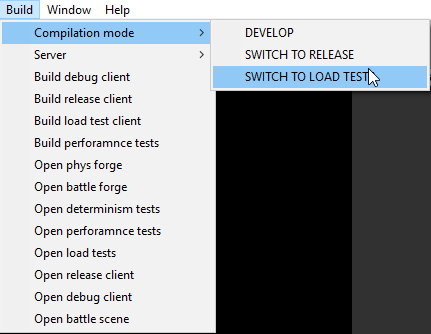
During development, we want the same game played in different environments.
- Release mode, as player sees it.
- Debug mode, normal game but without tutorial and with debug menu that allows us to cheat and do other things.
- Battle forge – the stage to see, repeat, develop and debug specific situations in battle – like watching mob executing his one rare special action repeatedly.
- The stage to edit mob or player weapon (Phys forge) – change animations, structure, appearance, effects.
- Automated features testing (determinism tests) – the most strict and valuable automatic test for our game is ‘determinism test’ – we play few instances of the same game, and they communicate as if they were played over network. If result hashes of each game instances are the same – it always meaned that all features involved are working correctly. So we made multiple setups, like unit tests, and run lots of tests systematically but randomized. But unlike unit tests implementing, it does not require any additional work per each feature implemented from programmer. He does not even remember that tests exist. Lazyness is welcome. Saved us a lot of time, almost all gameplay bugs were found this way.
- Automated performance tests. Our game netcode involves lots of resimulations to be strictly fair for all players. It was covered in my other article. So performance become hugely important. Performance tests are like determinism tests, but they count lots of different timings to aid finding whats wrong. Compares with previous results to understand what became computationally heavier. Also has mode to operate on actual mobile devices, its important to measure performance on them and compare with dev machine. For example I found that IPhoneX has 0.6 CPU performance of my dev machine (speaking of single thread). IPhone6S had only 0.3 of that.
- Server. Main goal in automatization here – to make programmer forget that game is multiplayer at all. He should develop multiplayer without even noticing it. So game itself should not know where is it running – on client or on server. But server project still should exist, it just got generated from client automatically. So what happens if developer hits ‘update server’ button?
- Code files got automatically separated on ‘client only’ files and ‘server-included’. Various methods are used to determine them, for example, if there are MonoBehaviours there – its client-only code.
- Server-included code few other server-required assets are used to create new unity project – for server.
- Next, we launch another Unity instance without UI – just to build server executable. If there are any errors, they are transfered to the main Unity instance and shown there.
- After exe built successfully, it got zipped and uploaded to Playfab’s Amazon Cloud and got setup there.
- Server is ready for testing. Whole process takes a minute or two and no programmer interaction required.
- Server load tests – for this we build server in special mode – that avoids some security checks and includes some debug info collecting. Also load testing client got built – it bombards server with lots of players connections and that ‘players’ perform actions common for our players to do.
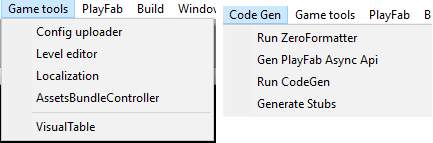
There were other tools – like for automting creating asset bundles, fetching localization from our ui and code and exporting/importing it to third party localizaing company, tools for creating binary configs from WIKI pages of our game, where game designers put their values, tools for creating levels for the game, tools for performing lots of codegeneration (data replication etc).
So the main idea: huge part of game development can and should be automated. Essentially, automation is the path to the future. So you’re way upper in the food chain that person you can automate. And automation makes gamedev more interesting, cause if you do something that is routine, you can kill it with automation.
It means that gamedev future is interesting.
Following part mb doesnt fit here and should be deleted from article:
So what is programming in general? after few philosophical debates we came to 2 answers
- Speak and understand needs and ideas of a customer fully, algorithmically and deterministically. Fill his creativity holes with own creativity. Connect dots where customer – in our case its gamedesigner – does not clearly understands the process.
- Use this understanding to tell computer what to do. Build up everything from existing blocks, from what do you have in terms of tools – IDE, platforrms, languages, patterns etc.
We belive that first point is purely human competence now and forever. Well, at least until computers serve us. But the second point is not. In future, not that distant, programmers will just give computer full understanding what needs to be done – and computer wont need a single word more.
 Блог Антона Пендюра